
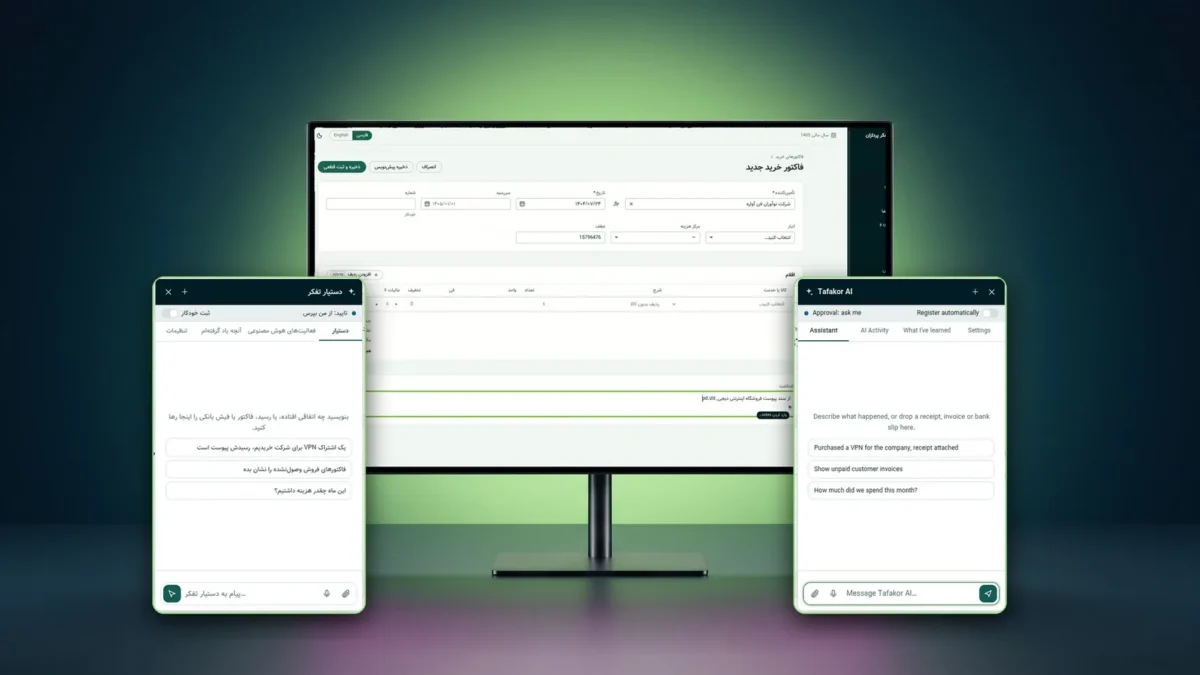
Tafakor Pardazan AI Assistant: A Digital Employee for Business Software
Tafakor Pardazan AI Assistant turns natural-language requests into practical actions, interacting with software interfaces, moving the mouse pointer, and carrying out real business workflows where supported.
Start a ProjectMeet the Tafakor Pardazan AI assistant, a digital employee that turns a plain Persian request into real accounting work in business software.
Tafakor Pardazan AI assistant: details and key features
From Intelligent Conversations to Real Work Execution
Tafakor Pardazan AI Assistant is more than a conversational AI. It acts as an AI-powered digital employee that can interact with real software interfaces, navigate workflows, and carry out assigned business tasks.
The difference is simple: an ordinary chatbot tells you where to click. This assistant understands your request, finds the workflow, and carries the work forward inside the same software you use.
How is it different from a chatbot?
A chatbot produces text. Tafakor Pardazan AI Assistant gets the work done.
- Answers questions and explains the steps
- You still do the work manually in the software
- Lives outside the app and knows nothing about its screens
- Its output is text
- Reads your receipt, invoice or request and works out the financial event
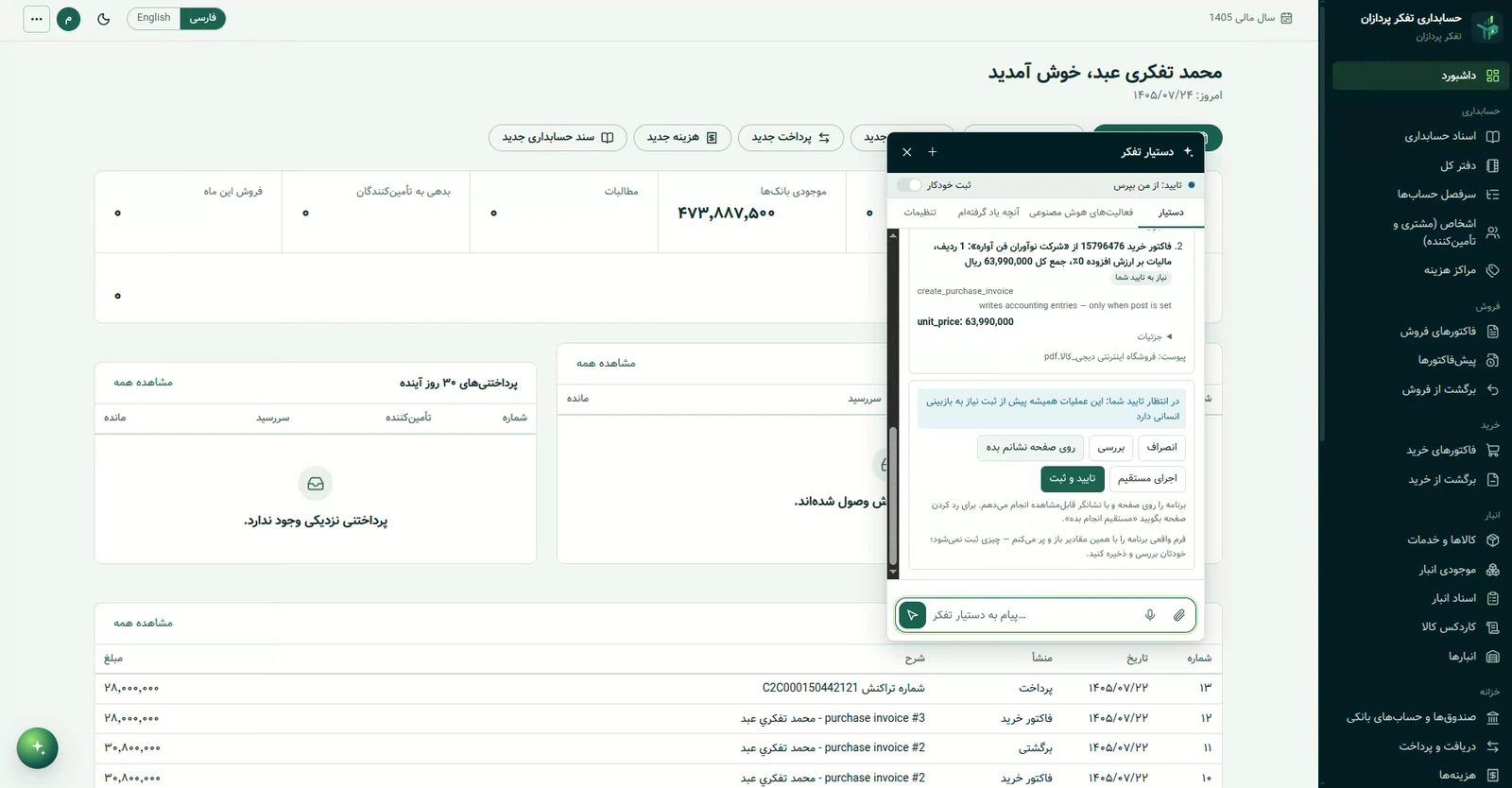
- Shows a preview of what will be registered and asks for approval first
- Opens the app’s real forms and fills them in, or runs the operation directly through the app’s services
- Reads the result back from the software and records it in an activity log
A mouse pointer that moves on its own
The clearest difference from a chatbot: you can watch the work happen on screen.
Working through the real interface
By default, the assistant works like an employee: it opens the real screen, moves a visible mouse pointer across it, clicks buttons, selects fields and types in values. You can watch the pointer move and every action as it happens, and after saving, the result is read back from the application.
The pointer is a virtual one inside the application window. Elements are targeted through the app’s own tags and accessibility information rather than blind coordinates, and every step is verified after it runs.
Running through the application itself
Where the application supports it and the user has authorized it, the assistant can execute an operation directly through the application’s services, with the user’s own permissions. Just say “do it directly”, or choose this mode in the assistant’s settings. A separate “Show me on screen” option fills in the form without saving anything.
Important: the two modes are not identical for every operation. How a task runs depends on the supported workflow, the user’s permissions and the tools available, and sensitive operations such as settings and security always require human approval.
From a natural request to finished work
The path a sentence or a document takes to a real entry.
- RequestWrite in plain language, drop a receipt, invoice or bank slip, or (where enabled) send your voice.
- UnderstandBefore any tool runs, the assistant identifies the business domain (accounting, payroll, configuration and more) and the financial event.
- Plan and previewThe request is matched to the company’s real parties, accounts and categories, and the debit and credit lines are shown.
- ApproveThe default is “ask me”; automatic registration is possible only within limits you set.
- ExecuteOn screen with a visible pointer, or directly through the app, with your own permissions.
- Read back and recordThe result is read from the application, kept in “AI Activity”, and can be reversed with Undo.
An AI Assistant at Work Inside Tafakor Pardazan Accounting
Accounting is the assistant’s current working environment and a practical demonstration of what it can do.
Instead of moving between screens and typing every field, an accounting user describes the task in natural language. Examples of what the assistant does in this application:
- Registers expenses, receipts and payments from a receipt, a bank slip or a written description
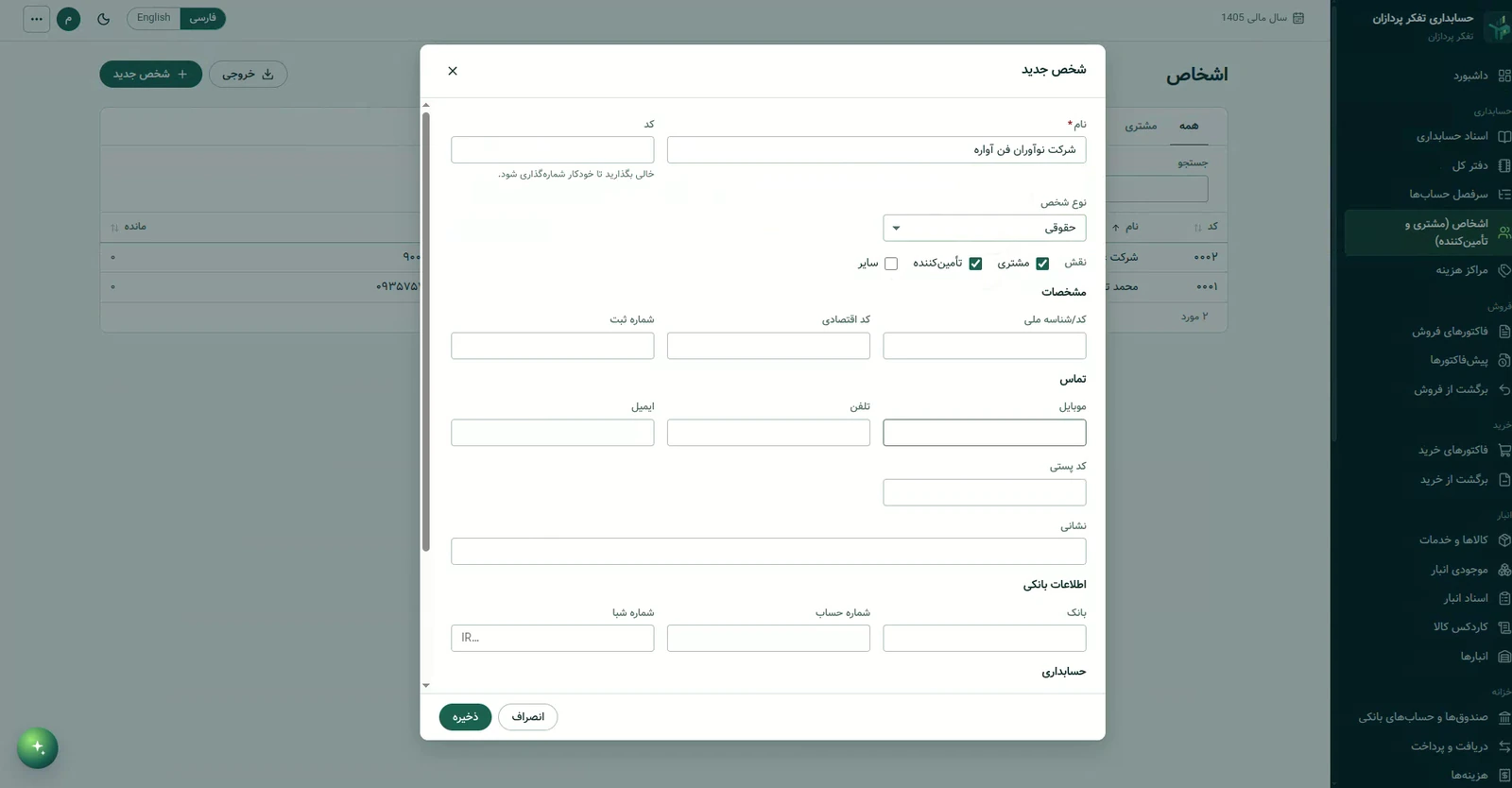
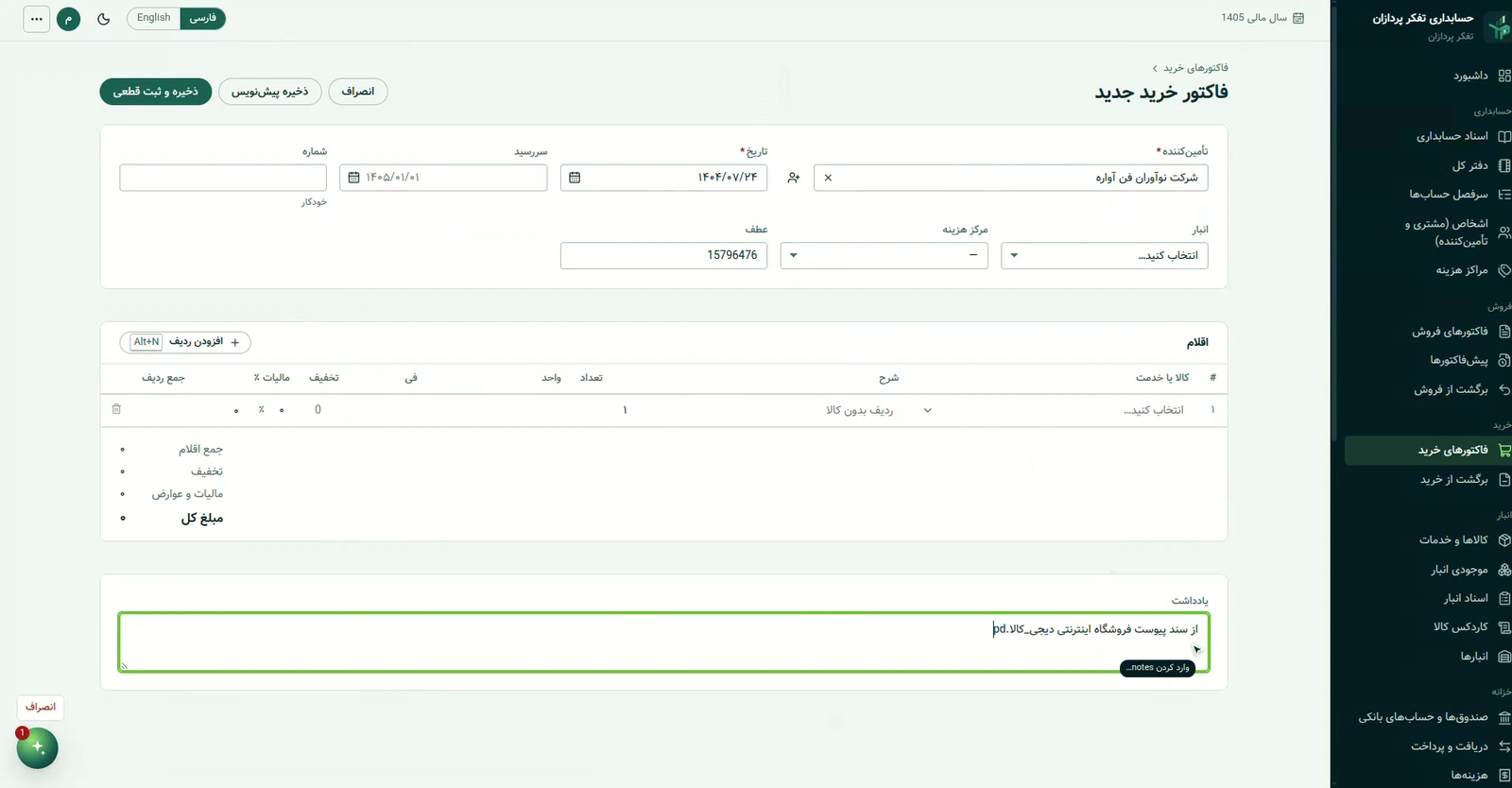
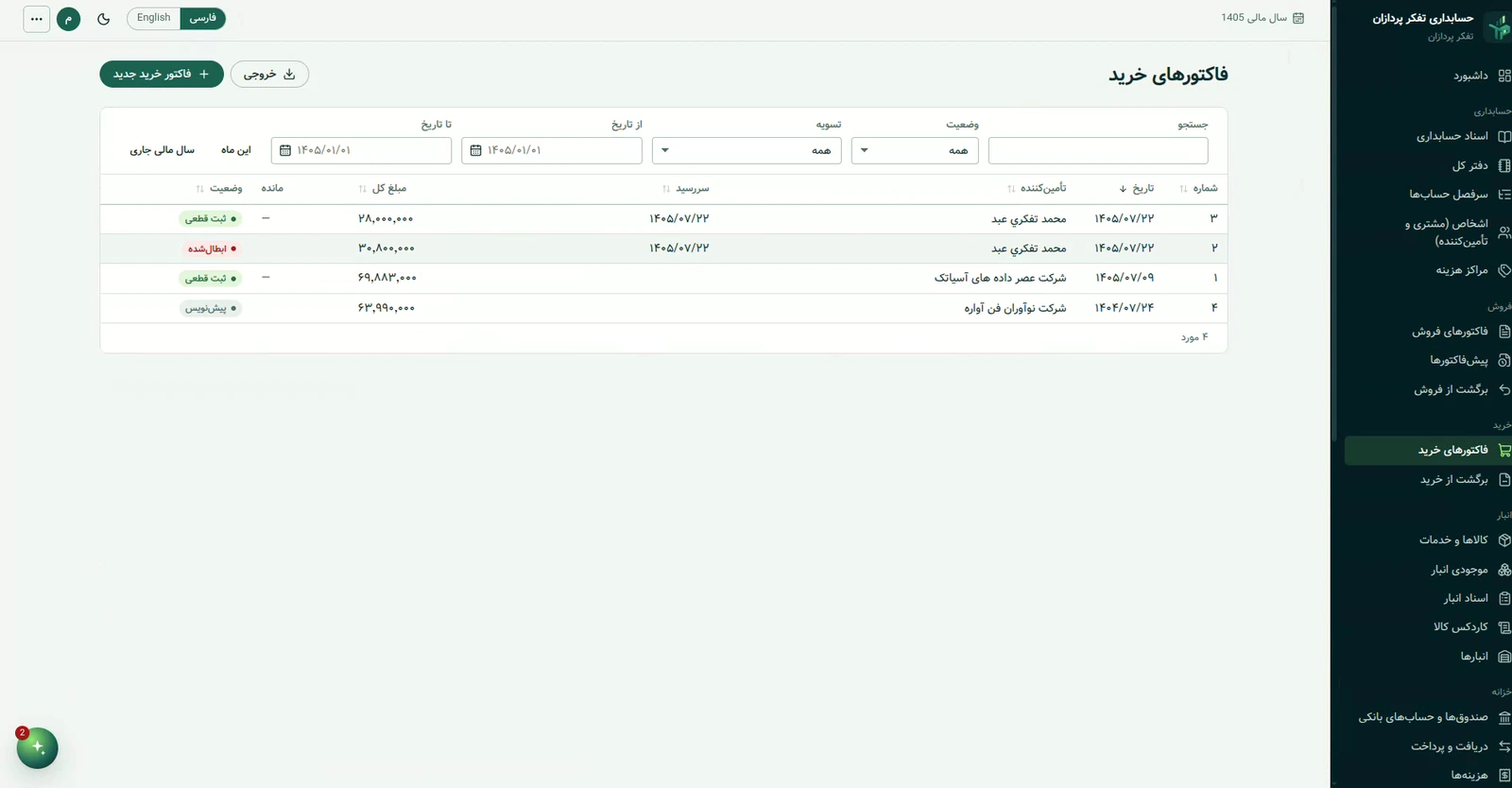
- Prepares a purchase invoice from a document such as a PDF invoice, creating the supplier first if it does not exist
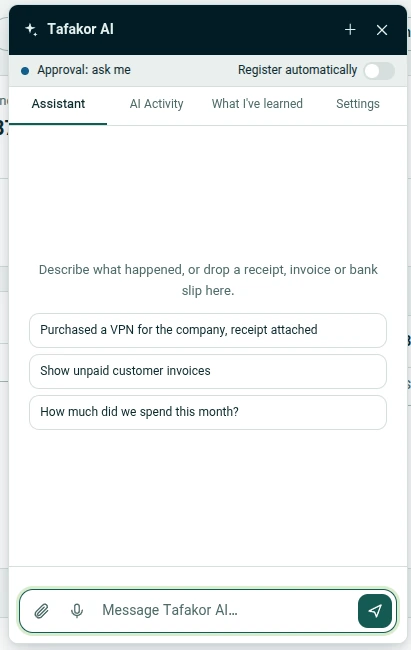
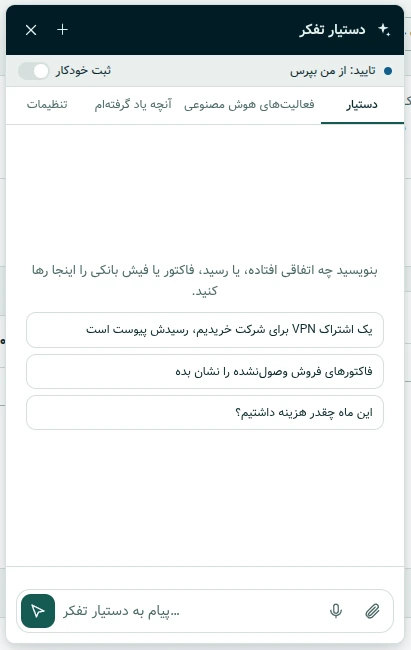
- Answers questions such as “Show unpaid customer invoices” or “How much did we spend this month?”
- Navigates and fills in the application’s forms on the user’s behalf, on screen with a visible pointer
- Learns from your corrections: expense categories, the right account for each event and party aliases (suggestions first, defaults after several confirmations)
- Broad coverage: every operation a user can perform in the app is also available through the assistant with that user’s own permissions (more than 200 operations identified from the app’s code)
Invoices and accounting documents are registered only as drafts and with human approval; cancellations, journal entries, checks and payroll are never automatic.
Real screenshots of the assistant
The assistant panel inside Tafakor Pardazan Accounting, in the Persian and English interfaces.
See how it works
A real recording of registering a purchase invoice, with no promotional effects.
Control and trust
An assistant that does work has to be controllable.
Approval is the default
The “Ask me / Register automatically” switch is always visible. Automatic mode needs an explicit risk confirmation, and you can limit the amount per document, the daily count and which actions may run automatically.
Always a human
Duplicates, an ambiguous party or account, closed periods, foreign currency and suspicious text inside a document always go to human approval.
The user’s own permissions
The assistant works with the same session and permissions as the user. Its tools are an allowlist: no SQL, shell or JavaScript execution, and document text is treated as data, not instructions.
Audit trail and Undo
Every action is recorded with before and after values. Automatic actions appear in “AI Activity” with an Undo button.
Data protection
The model access key stays on the server, and card and account numbers are masked before storage.
Fully removable
It is built as an add-on and can be removed without changing how the application behaves.
Technical details
- A TypeScript browser widget inside a Shadow DOM, plus a Go service with its own SQLite store; model calls are made server-side through OpenRouter
- Persian and English interfaces (RTL and LTR) with light and dark themes
- The UI agent: language-independent tags, an app map, targeting by tags, then accessibility, then vision (never blind coordinates), with drivers for React inputs, combo boxes and the Jalali date field
- Persian digit, Jalali date and amount normalization; duplicate and conflict detection before anything is registered
- Automated test coverage including service unit and integration tests and browser end-to-end tests
Related projects and services
Related work: Tafakor Pardazan AI Assistant and Galatea AI. This work belongs to our Artificial Intelligence services. To discuss a similar project, contact Tafakor Pardazan.
Order This Product
Tell us what you need. Our team will review it and contact you with a proposal.
Have a project in mind?
From idea to prototype and product, we're with you.